App 介紹
關於這款 App
完整介紹與操作說明提供繁體中文與英文版本。
「研究生讀 Paper 神器」把文獻、閱讀紀錄與研究想法集中保存在自己的裝置上。匯入 PDF、圖片、照片或文件掃描,保留原檔副本,並在裝置上擷取文字,建立自己的文獻庫。
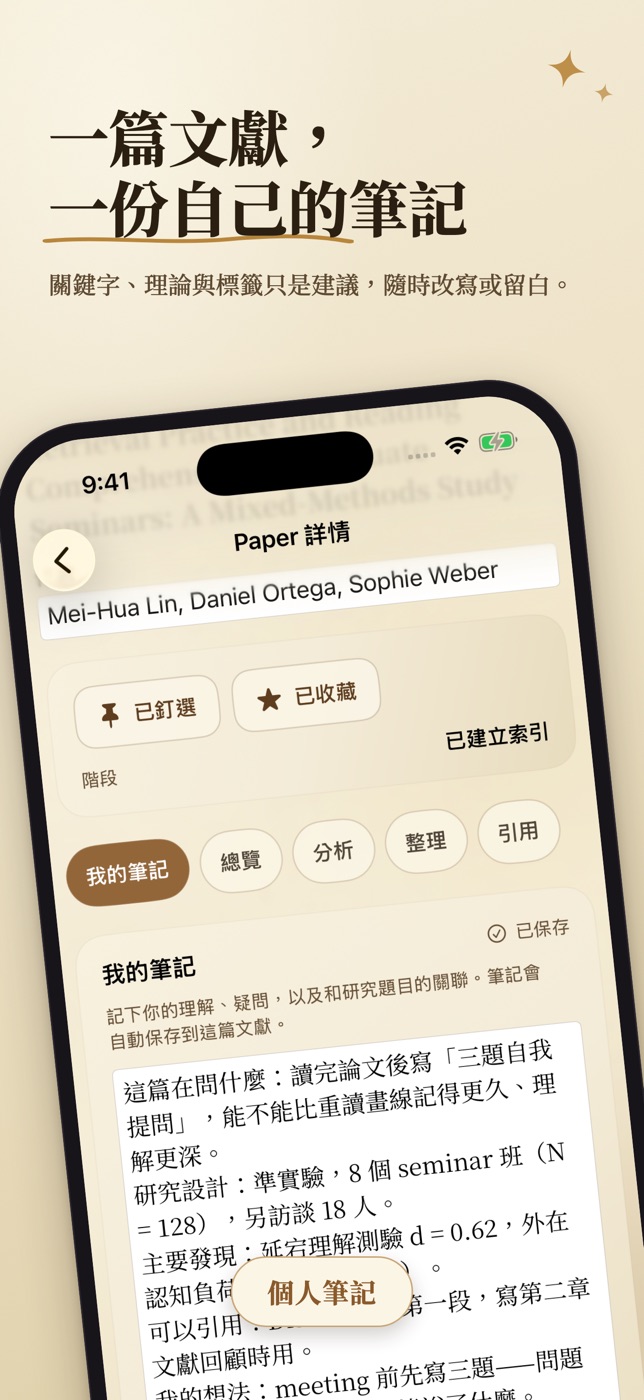
閱讀時可以記下自己的筆記、修改關鍵字與理論建議,並查看依原文章節與關鍵句整理的研究目的、樣本、方法、發現與限制。在寬視窗的 iPad 上,原始文件與筆記可以並排顯示;窄視窗則切換查看。
不需要註冊帳號、AI 帳號或 API 金鑰;閱讀、整理與拆解都在裝置上完成。這個版本沒有雲端 AI 分析或 App 內購買,支援匯出完整備份,或另外匯出筆記與書目。
Paper Reading Desk keeps papers, reading records and research ideas together on your own device. Import PDFs, images, photos or document scans, retain copies of the originals and extract text locally to build a personal research library.
Write your own notes, edit keyword and theory suggestions, and review a rule-based breakdown of a paper's purpose, sample, methods, findings and limitations. A wide iPad window shows the original document beside your notes; switch views in a narrow window.
No app account, AI account or API key is needed. Reading, organising and the breakdown run on the device. This version has no cloud AI analysis or in-app purchases, and you can export a full backup or a separate copy of your notes and bibliography.
App Store
作品畫面
2 / iPhone
App 使用指南
使用方式
將 PDF、圖片或文件掃描匯入書庫。
將 PDF、圖片、照片或相機掃描檔匯入文獻庫。App 會保留原檔副本並在裝置上擷取文字;檢查辨識結果,再補上或修正文獻資料。掃描 PDF 的 OCR 最多辨識前 32 頁,完整原檔仍會保留供閱讀。
Import a PDF, image, photo or document scan into your library. The app preserves a copy of the original and extracts text on the device; review the result and complete or correct the paper's details. Scanned-PDF OCR covers up to the first 32 pages while keeping the complete original available to read.
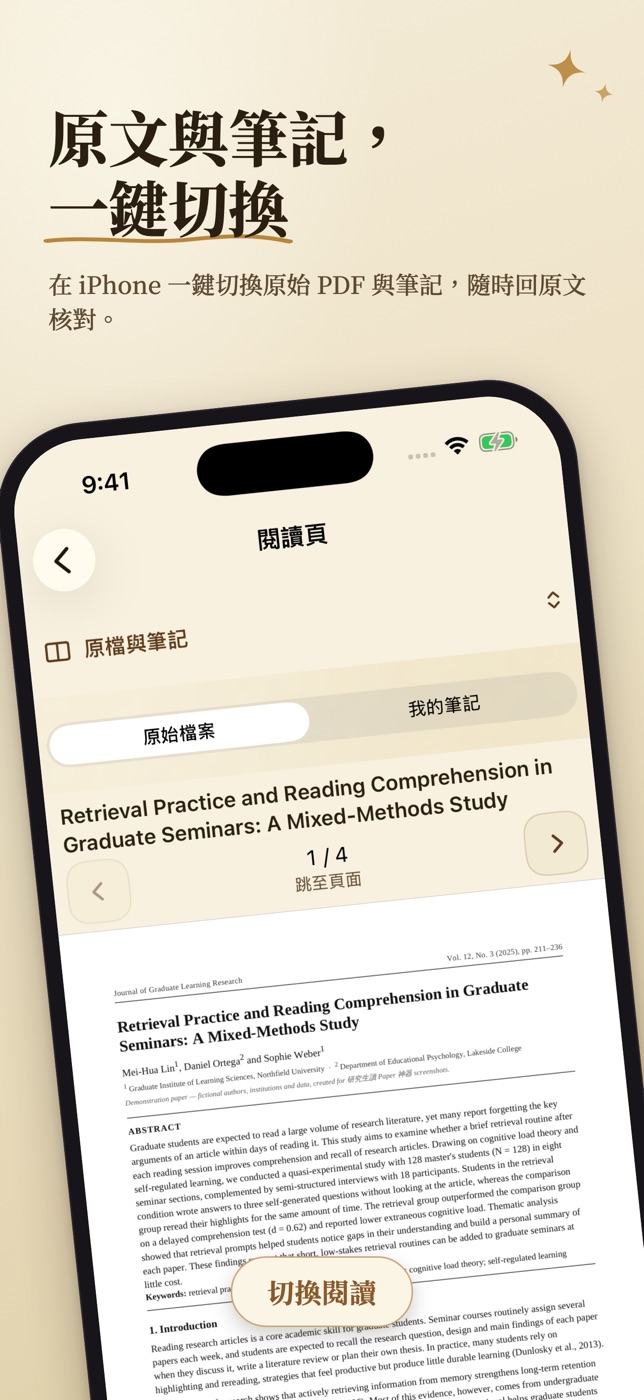
對照原文閱讀與筆記,查看論文拆解。
打開文獻,對照原始文件寫下自己的閱讀筆記。在寬視窗的 iPad 可並排查看,窄視窗可切換。閱讀拆解整理目的、樣本、方法、發現與限制;有頁碼資料的摘錄可回到原始頁面核對,翻譯與拆解都應配合原文閱讀。
Open a paper and write your notes while checking the original. Use the side-by-side view in a wide iPad window or switch views in a narrow one. Review the breakdown of purpose, sample, methods, findings and limitations, and follow excerpts back to their source pages where available. Use both translations and the breakdown alongside the original.
整理關鍵字與引用資料,再匯出備份。
修改或補充關鍵字、理論、標籤與書目,按需要複製 APA、MLA、BibTeX 或 RIS 引用,也可透過 DOI 查詢補齊書目。保存完整資料時匯出 .paperbackup;另行匯出的筆記與書目 JSON 不包含原檔,不能當作完整備份還原。
Edit or add keywords, theories, tags and bibliographic details. Copy an APA, MLA, BibTeX or RIS citation as needed, or retrieve metadata by DOI. Export a .paperbackup to preserve the complete library; a separate notes and bibliography JSON file excludes originals and cannot restore a full backup.
更多用法
- 可自行修正的建議
- 關鍵字與理論只是閱讀建議,可以修改、補充或留白,並用自己的筆記保留研究想法。
- 翻譯與系統版本
- App 內逐段翻譯需要 iOS/iPadOS 18 以上;17.4–17.x 使用系統翻譯面板,17.0–17.3 不提供翻譯。語言依裝置與系統支援,首次下載套件需要網路。
- 找回研究資料
- 以搜尋找回擷取文字、筆記與書目;需要引用時複製對應格式,並核對原文及書目內容。
- Suggestions you can edit
- Keywords and theories are reading suggestions. Edit them, add your own or leave them blank, and keep your research ideas in your own notes.
- Translation and OS versions
- In-app paragraph translation requires iOS or iPadOS 18 or later. Versions 17.4–17.x use the system translation panel; 17.0–17.3 do not offer translation. Languages depend on the device and OS, and the first language-pack download needs internet access.
- Find research material again
- Search extracted text, notes and bibliographic details. Copy the citation format you need, then check it against the source and bibliography.
- 版本
- 1.0
- 類別
- 教育 · 生產力工具
- 系統需求
- iOS 17.0 或以上
- 年齡分級
- 4+
- 開發者
- Yung Wen Cheng
其他花火作品